IP blacklisting: How it works
What an IP blacklist is, the four kinds (public, private, RBL, DNSBL), what gets an address listed, how to check yours, and why rotation and botnets limit it.
 By 8 mins readPublished Updated
On this page
An IP blacklist is a list of addresses you refuse to talk to. Firewalls, mail servers and fraud tools consult it before accepting a connection, a message or a login, and drop anything from a listed address. It is the oldest network control there is, and it still catches the lazy end of the traffic.
Below: how the lists are built, what gets an address onto one, how to check whether yours is listed, and where the technique stops working.
What an IP blacklist is
IP blacklisting blocks unauthorised or malicious IP addresses from reaching a network. A list can hold single addresses or whole ranges, and it is enforced by firewalls, intrusion prevention systems (IPS) and other traffic filters.
Entries come from two places: policy, where an administrator adds addresses by hand, and automation, where the tool pulls an external feed or adds the source of an event it just saw. Most security tools that read blacklists can also write to them.
Attacks that get an IP blacklisted
Attackers stick with what works: malware, phishing and the other techniques below. Each one leaves a source address in someone's logs, and that address is what ends up on a list.
The techniques that put IPs on lists:
1. Malware
Malware is software built to do harm, from viruses to ransomware. Once in, it can take over the device, log keystrokes, or send data back to the attacker's command server.
Getting it onto a machine still needs the user's help, even unknowingly: a download, a click on a link or an ad, a document or PDF that carries the installer behind an innocent-looking file.
The command servers, the download hosts and the infected machines that call home all end up on malware blocklists.
2. Supply chain attacks
A supply chain attack goes through a trusted vendor that supplies software or services. Software variants inject code into an application to infect every user of it; hardware variants compromise physical components for the same end.
Modern software is assembled from third-party APIs, open-source packages and vendor code, and any piece can carry a flaw. A foothold in a provider's network becomes a path into the better-defended networks that trust it.
3. Phishing
Email, text, phone calls and social media used to talk a victim into giving up passwords or account numbers, or into downloading a file that infects the device. The sending addresses are the main input to the spam blacklists.
4. Spoofing
Spoofing is impersonating a trusted source to get access to a system or device. The goal is data theft, extortion or installing malware.
5. Crypto-jacking
Cryptojacking malware uses the infected system's computing power to mine cryptocurrency for the attacker. It runs the machine hot and the proceeds go to a remote wallet.
6. SQL injection attack
SQL injection is not a blacklisting technique, but it is a common reason an IP gets blocked: the attack is noisy, and sites that spot it block the source.
A login form builds an SQL query from the username and password you type. Put special characters or code in those fields and a poorly written query runs instructions it was never meant to.
Instead of a username, the attacker enters admin' -- and the comment marker cuts off the password check.
On an unprotected system that logs them in as an administrator.
From there they can read sensitive data or damage the system. Many sites block the source IP the moment that pattern appears in the logs.
7. Spear-phishing
Spear phishing is phishing aimed at one person, with a message that appears to come from a senior figure in their own organisation or a partner. The borrowed authority is what gets the recipient to hand over information.
8. Cross-site scripting (XSS)
XSS injects malicious code into a website, but the site is not the target. The code runs in the visitor's browser and attacks the visitor.
The usual delivery is a comment field or a script that runs on page load.
9. DoS attacks
A denial-of-service (DoS) attack floods a site with more traffic than it can serve, so real users get nothing. The same effect happens by accident when a breaking story sends a crowd to a news site at once. Source addresses from a flood are blacklisted in bulk.
10. Insider threats
Some breaches start inside: leaked credentials, sensitive data sent to the wrong place. Malice is the exception; most incidents are mistakes, such as an unencrypted attachment emailed to the wrong recipient.
11. IoT based attacks
An IoT attack targets a connected device or its network. A compromised device can be controlled, drained of data, or enrolled with thousands of others in a botnet that runs DoS and DDoS attacks.
As connected devices multiply and 5G widens their use, security teams expect more IoT infections, and more device addresses on the lists.
12. AI attacks
Both sides use AI and machine learning. Defenders use them to spot attacks; attackers use them to get into networks and pull data out.
Types of IP blacklists
Four kinds, each with its own job:
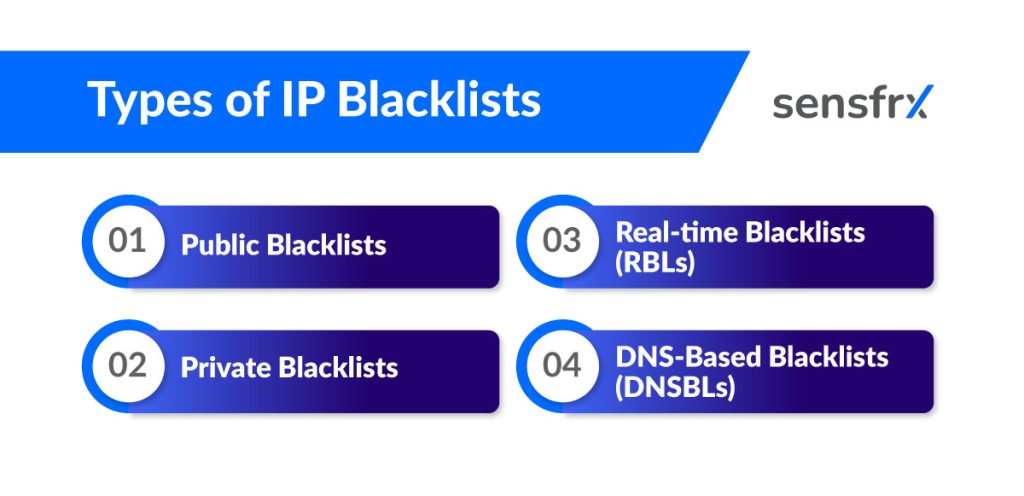
Public blacklists
Lists that organisations and individuals publish for anyone to use. The Spamhaus Project is the best known, used across the industry against spam and related abuse.
Private blacklists
Lists an organisation keeps for its own systems, built from its own incidents and not shared outside.
Real-time blacklists (RBLs)
Lists that change as abuse is detected. Mail servers query them on every inbound connection to drop spam, which is why they need to update in minutes rather than days.
DNS-based blacklists (DNSBLs)
Lists served over DNS. A mail server or application checks an address with a single DNS query, which makes DNSBLs the easiest kind to wire into existing systems.
Knowing which kind you are on tells you who to ask for removal and how fast the listing will clear.
Reasons for IP address blacklisting
The usual causes:
- Sending spam: a high volume of unsolicited mail gets the address listed by mail providers and spam filters.
- Hosting malicious content: servers that host malware or phishing pages.
- Taking part in attacks: addresses seen in DDoS or other attacks.
- Breaking terms of service: aggressive crawling or scraping gets an IP blocked by the site it hit.
An ecommerce platform, for example, blacklists an address after a run of failed logins, because that pattern is a brute-force attack.
How to check whether an IP is blacklisted
Query the lists directly. Online aggregators check an address against many blacklists at once; network security tools and command-line utilities do the same for a DNSBL.
If outbound mail is bouncing or browsing is blocked, ask your email provider or web host; they usually know the IP's status already.
If you are a legitimate user who has been listed, use a checker site or ask the provider directly. There is nothing to hide.
The symptoms that should prompt a check are in the next section.
Signs an IP has been blacklisted
Five signs:
- Sites refuse connections or mail from the address.
- Mail from it lands in spam folders or bounces, because spam filters act on the listing.
- Slower connectivity and lower search visibility, sometimes with security software warning about the address.
- The address shows up in reports tied to spam, malware hosting or attacks.
- Delisting requests get refused while the behaviour continues; the lists expect the cause to be fixed first.
Benefits of IP blacklists
Blacklists are cheap, fast and need no model, which is why every firewall and mail server still has one. Reporting abusers to the public lists helps everyone else too.
What they give you:
- Known bad actors are stopped before they reach the application.
- A floor under spam, brute force and other noisy abuse.
- Automatic handling of risky addresses, so analysts spend their time on the hard cases.
- A cleaner experience for real users once the noise is gone.
- Lists tailored to your own traffic rather than a generic feed.
- Once set up, it runs without attention.
Where IP blacklisting falls short
A blacklist blocks what it knows. Attackers get around it in five ways:
- IP rotation: attackers change addresses faster than lists update.
- IP spoofing: for network-layer attacks such as some DDoS floods, the source address is forged, so the listed IP is not the attacker's.
- Botnets: thousands to millions of compromised end-user and IoT devices, each with its own clean-looking address.
- False positives: a listed address that belongs to a real customer, a shared office network or a mobile carrier blocks legitimate traffic.
- Shared and dynamic IPs: when many users sit behind one address, the list cannot tell which of them acted.
How Sensfrx handles IP risk
[Sensfrx](/) treats the IP as one signal among many rather than as a list to maintain:
- IP address analysis: the address's reputation and history are part of the score on every signup, login and payment.
- Rules and policies engine: your rules decide what a given IP, range or reputation band triggers (allow, review or block) with no list file to edit.
- Automated risk mitigation: the action runs at request time, without an analyst in the loop.
- User and entity behaviour analytics: the IP is read next to the device and the account's own behaviour, so a shared office address or a rotated residential proxy does not decide the outcome on its own.
Where to start
Keep the blacklist; it is the cheapest filter you have. Then stop relying on it alone. Put a risk score behind it that reads device and behaviour as well as the IP, so the attacker who rotates addresses still gets caught and the customer on a shared IP still gets through.
Start the free trial and compare what it flags with what your blocklist catches before you let it act.