How multi-factor authentication stops online fraud
What MFA is, the three factor types, how it blocks account takeover and phishing, and how to choose between SMS, apps, biometrics and hardware keys.
 By 5 mins readPublished Updated
On this page
A password on its own is not enough. Verizon's 2023 Data Breach Investigations Report linked 81% of data breaches to weak or stolen passwords. Multi-factor authentication (MFA) closes that gap by asking the user to prove who they are with something beyond the password.
What multi-factor authentication is
MFA is part of an identity and access management (IAM) policy. It requires more than one verification method before a user gets access to a resource, whether that is an application, an online account or a VPN.
How MFA works
The familiar case: a user enters a password, then types a code sent to their phone or email. That code is a one-time password (OTP).
If the password leaks in a data breach, the login still fails until the second step is complete. The attacker has the credential but not the account.
The second factor comes from one of three types:
- Something you know: a password or a PIN.
- Something you have: a smartphone, a hardware token or a security key. An app on the phone generates a code, or a small device plugs into the computer.
- Something you are: a fingerprint, a face scan or an iris scan.
Each factor is a separate hurdle. Someone who learns your password still needs your phone or your fingerprint to finish the login.
Which frauds MFA stops
Account takeover
In an account takeover, an attacker gets into someone else's account and then steals personal data, makes purchases or uses the account to reach other systems and users.
With MFA, a stolen credential gets the attacker to the second step and no further. Only the account owner can complete it.
Phishing
A phishing attack impersonates a trusted sender to trick people into handing over passwords, card numbers or social security numbers, through fake emails, messages or look-alike websites.
A phished password alone does not open an account protected by MFA. The attacker still needs the code sent to the owner's email or phone, or the owner's biometric.
Man-in-the-middle attacks
In a man-in-the-middle (MITM) attack, malware or an attacker sits between the user and the application and reads what passes between them, including credentials.
The classic setting is public Wi-Fi. A user logs in to a bank account from a coffee shop, and an attacker on the same network captures the username and password in transit without the user noticing.
If the bank requires a second factor, such as a code sent to the user's phone, the captured credentials are not enough to log in.
Types of MFA
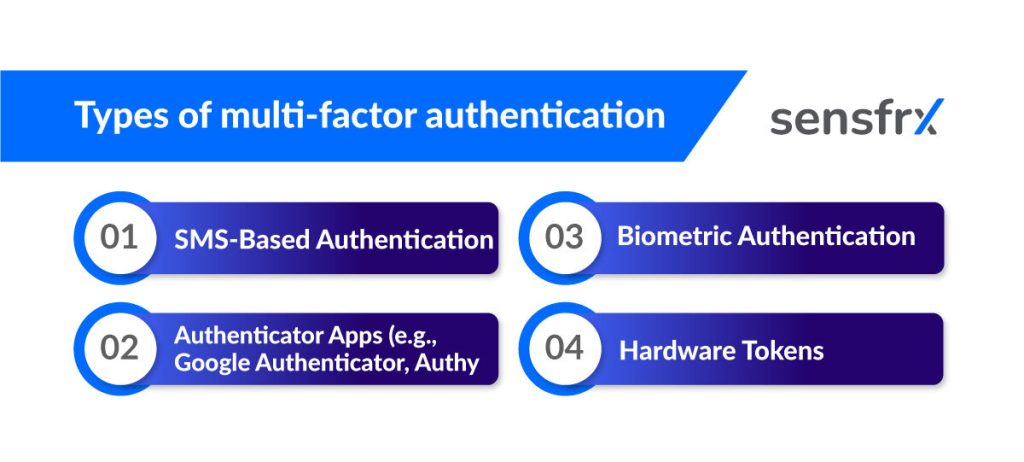
Four methods cover most deployments:
- SMS codes: the user receives an OTP by text message and types it in.
- Authenticator apps such as Google Authenticator and Authy: the app generates time-based one-time passcodes (TOTPs) that change every 30 seconds.
- Biometrics: a fingerprint or face scan proves identity. These are specific to the person and hard for an attacker to reproduce even with the password in hand.
- Hardware tokens: physical devices that generate or store authentication codes on their own, so software attacks on the phone or computer do not reach them.
Google is the standard example of hardware tokens at scale. In 2017 it required every employee to log in to work accounts with physical U2F (Universal 2nd Factor) security keys, such as YubiKeys, as protection against phishing.
What MFA buys you
- A stolen password stops being a full compromise; the attacker needs a second thing they do not have.
- Fewer successful account takeovers and phishing logins, and with them fewer breaches that start from one compromised account.
- Customers and staff can see that their accounts carry more than a password.
- It fits most applications without a rebuild, and the method can change as threats change.
Where MFA adoption goes wrong
- Friction. The extra step annoys some users, so offer more than one method.
- Compatibility. Some legacy systems cannot integrate MFA, and methods that need a USB port do not work on every device in a bring-your-own-device setup.
- Cost. Licences, hardware tokens and the engineering time to roll it out all add up.
How to choose an MFA method
- Match the method to the risk. For high-value applications use stronger factors such as biometrics. If phishing is your main problem, pick a method that resists it, such as number matching in push notifications.
- Keep it easy for users. Let them choose between email and text, and consider adaptive authentication, where the second factor is asked for only on a risky login, such as one from a new device or location. A risk score on each login is what makes that decision possible.
- Check compatibility first. The method must work with your existing system and, if users authenticate on personal devices, on Android, iOS and Windows. Where setup is awkward, give users short written instructions.
Setup practices to pair with MFA
AWS lists three practices to go with MFA:
- Set up user roles so permissions match the job; admins get more than regular users.
- Keep strong password rules even with MFA in place: a mix of upper and lower case letters, numbers and special characters.
- Have users update credentials on a schedule, and block access until a stale password is changed.
Where to start
Turn MFA on for every account that can move money or data, starting with admin accounts. Pick the strongest factor your users will accept: hardware keys for staff, an authenticator app or push with number matching for customers, SMS as the fallback.
MFA does not replace watching the login itself. A correct password and a correct code from a device and location the account has never used is still worth a second look.
If fraud prevention is on your list, start [a free trial with Sensfrx](/) and score every login alongside your MFA.