How to prevent credential stuffing attacks
How credential stuffing works, what it costs, and the controls that stop it at login: breached-password screening, rate limits, bot detection and MFA.
 By 16 mins readPublished Updated
On this page
Credential stuffing is the automated replay of leaked username and password pairs against login forms that had nothing to do with the original breach. It works because people reuse passwords. An attacker with a combo list of a few million pairs, a proxy pool and a free checker tool can test every pair against your login in an afternoon, and a hit rate well under one percent still hands over thousands of accounts.
Why credential stuffing is the default attack on a login form
Three things make it the first thing an attacker tries.
Password reuse: one breach at a forum or a retailer gives the attacker a working password for the victim's email, bank and store accounts. Supply: billions of leaked pairs sit in public dumps and on dark web markets, and new breaches refill them every month.
Cost: the tooling is free or cheap, needs no coding skill, and runs through residential proxies so each attempt looks like a different home user. Testing millions of pairs across several sites takes hours, not weeks.
What a breached credential turns into
A breached credential is a username and password pair exposed in a data leak. On its own it is a line in a text file. Replayed through a stuffing tool it becomes a logged-in session on every site where the victim reused it.
For the account holder that means identity theft, drained stored value, and card details used for fraud. For the business it means chargebacks, refunds, support load and the breach notifications that follow.
How a credential stuffing campaign runs
A campaign has three stages: harvest, test, attack. The attacker buys or collects a combo list, runs it through a checker against a target, then uses the validated pairs by hand or by bot.
Harvest, test, attack
Each stage uses its own tooling and leaves its own trace in your logs.
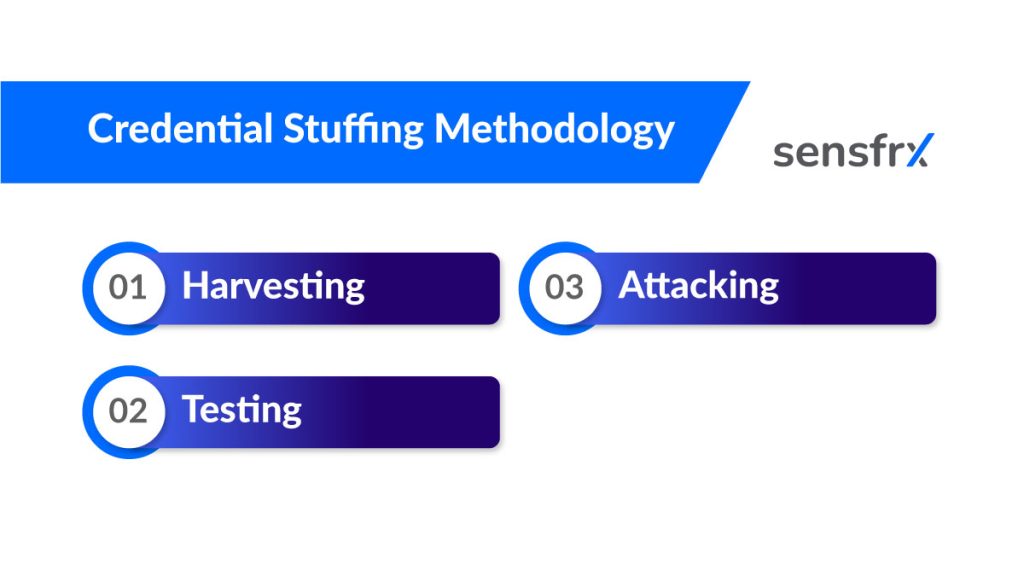
- Harvest. Combo lists come from breach dumps, phishing kits, infostealer malware logs and dark web markets. With billions of records leaked every year, supply is never the constraint.
- Test. A checker tool loads the list, rotates proxies and user agents, and fires login requests at the target until it finds pairs that work.
- Attack. The validated pairs are sorted by what the account holds (stored cards, loyalty points, balance) and either used directly or resold. The bot that logs in mimics a browser so it passes basic checks.
Why the success rate stays high
Two reasons the attack keeps paying. Supply: every large breach adds millions of fresh pairs, and the lists are cheap or free. Skill: the tools ship with tutorials and ready-made configs per target site, so no coding knowledge is needed to run a campaign.
What the attacker does at your login form
At the form itself the attacker is answering two questions: does this email have an account here, and does the leaked password still work for it.
Account validation, then password spraying
Account validation comes first. The tool submits each email from the list and reads the response for tells that the account exists: a different error message, a slower response, a reset flow that only triggers for real users. That trims the list to accounts worth attacking.
Password spraying follows on the validated accounts. Instead of one leaked password per account, the tool tries a short list of common passwords and simple variants across every account. One or two attempts per account stays under lockout thresholds while covering the whole list.
How bots test stolen pairs across many sites at once
Attackers do not run one site at a time. The same combo list goes through configs for dozens of targets in parallel, and a pair that works at one retailer is tried at the others within minutes.
- Combos. Stolen pairs are compiled into lists, sorted by domain or region, and sold or traded between groups.
- Checkers. A checker script bulk-loads login requests against a target, rotates IPs through a proxy pool, and logs every hit. The config for a given site is often shared for free.
- Reuse. Because most people reuse passwords, a single list yields hits across unrelated services. That is why your login gets hammered after a breach you had nothing to do with.
What a credential stuffing attack costs
The attack is cheap for the attacker and expensive for everyone else. The bill lands in four places: fraud losses, operating cost, fines, and lost customers.
Financial and regulatory impact
Direct losses come from the accounts themselves: stored cards charged, gift card and loyalty balances drained, refunds routed to new addresses. Each one becomes a chargeback, a refund or a support ticket.
Then the indirect cost. Engineers get pulled off roadmap work to add rate limits and force resets. Support handles the lockout complaints. Legal handles the notification. If the account data falls under GDPR or a similar regime, a regulator may follow.
Fines regulators have imposed after large breaches
Four breaches that show what a leak of account data costs once regulators get involved:
- Equifax, 2017. Personal records of over 147 million people exposed. Lawsuits and government investigations followed, and Equifax agreed to pay up to $700 million in fines and compensation.
- Uber, 2016. Around 57 million user accounts compromised. Uber was fined $148 million, largely for failing to disclose the breach promptly.
- British Airways, 2018. Personal information of over 500,000 customers stolen, including payment card details. The initial GDPR fine was $230 million, later settled at $25 million after the airline cooperated with the investigation.
- Marriott International, 2018. Over 500 million guest records exposed after attackers reached the reservation system with stolen employee login credentials.
Credential stuffing vs. Brute force
Both attacks hit the same login form and both are automated. The difference is the input: credential stuffing replays known pairs, brute force guesses passwords from scratch. That difference decides which controls work.
Credential stuffing
- Input: a list of real username and password pairs from past breaches.
- Attempts per account: one or two, so lockout rules rarely trigger.
- Traffic: high volume spread across many IPs, each attempt dressed as a fresh browser session.
- Tools: checkers with per-site configs, proxy pools, and bots that mimic human behaviour to get past rate limits and CAPTCHAs.
- Why it works: password reuse. A low hit rate against millions of pairs still returns thousands of accounts.
Brute force
- Input: none. The tool generates candidates from dictionaries, rules or every character combination.
- Attempts per account: thousands to millions against one username.
- Traffic: concentrated on a few accounts, so lockouts and per-account rate limits catch it.
- Tools: password dictionaries and cracking scripts.
- Why it works: only against weak or short passwords, and slowly. Against a long unique password it fails.
Which control stops which attack
Each attack family needs a different fix, and a login that only defends against one is still open to the rest.
- Brute force: lock or slow the account after a handful of failures, and rate-limit per account, not just per IP.
- Credential stuffing: screen passwords against breach corpora, detect bots across the whole login surface, and step up to MFA when device or network signals look wrong. Per-account lockouts do little here because each account sees one attempt.
- Password spraying: alert when many accounts each fail once from the same source, and ban the common passwords a sprayer will try.
- Phishing: training helps, but phishing-resistant MFA such as hardware keys or passkeys is what stops a stolen password from being enough.
- Infostealer malware: the credentials are valid and the device may be the victim's own, so look for new devices, session anomalies and impossible travel rather than failed logins.
How to stop credential stuffing
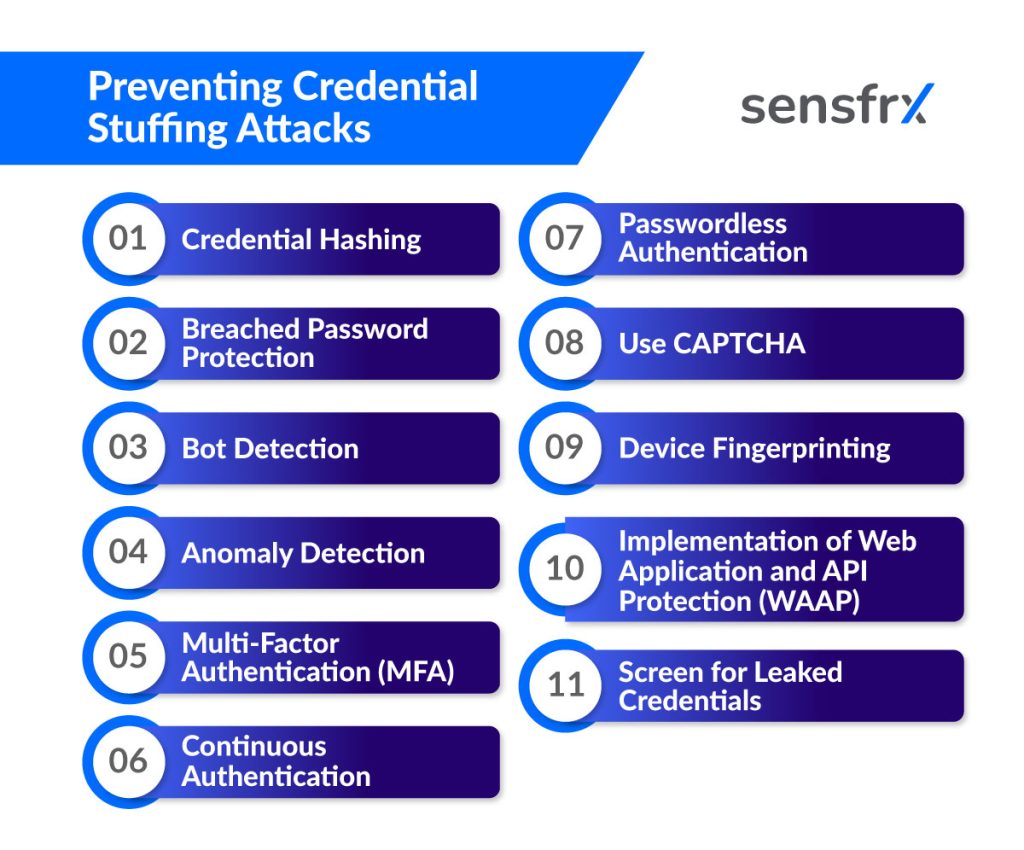
No single control closes this. The set below removes the attacker's easy wins first (reused passwords, an unguarded login endpoint) and then makes the remaining attempts expensive to run.
Hash passwords properly
Hashing does not stop a stuffing attack against your site. It limits the damage your own breach does to everyone else, which is how the lists get built in the first place. Store passwords with a slow, salted hash so a dump of your user table does not become a plaintext combo list within days. Three properties matter:
- Slow to reverse. The algorithm should be expensive enough that brute forcing a dump is impractical.
- Collision resistant. Two different inputs must never produce the same hash, or an attacker can log in with a password other than the real one.
- Salted. A unique random value added to each password before hashing means identical passwords do not share a hash and precomputed tables are useless.
Reject passwords that are already breached
Check every new or changed password against a corpus of leaked passwords and refuse matches. This removes the one thing credential stuffing depends on: a password that already sits in an attacker's list.
- At signup and reset, compare the password against the breached set and ask for another if it matches.
- Keep the corpus current. New dumps appear constantly, and last year's list misses this year's breach.
- Tell the user why. "This password appeared in a data breach" gets a stronger replacement than a generic error.
Detect bots at the login
Stuffing traffic is bot traffic. Detecting it blocks the attack itself rather than cleaning up afterwards. The signals that matter:
- Behaviour: request timing too regular for a human, no mouse or touch events, identical form-fill sequences across thousands of sessions.
- Rate: failed logins per IP, per network, per device and per account, each with its own threshold. Attackers rotate IPs, so IP alone misses most of it.
- Device fingerprint: a device that is new to every account it touches, headless browser markers, or thousands of "different" devices sharing one screen size and font set.
- Challenge: a CAPTCHA raised only when the score is high, so real users rarely see it and bots have to pay for solving.
Find anomalies in traffic and sessions
Anomaly detection catches what per-request checks miss. Baseline your normal login traffic by hour, country, device mix and failure rate, then alert when the shape changes: a failure spike from one network, a surge of logins from a country you do not sell in, or a thousand accounts changing their email address in an hour.
Your web server and application logs already hold the raw material: source IP, timestamp, path, method, headers, cookies. Stream them into a SIEM or your fraud platform and run the checks continuously, not in a weekly review.
Multi-factor authentication (MFA)
MFA means a stolen password is no longer enough. For stuffing, it is the control with the biggest effect per hour of work: the attacker's validated pair fails at the second step, and your logs show the attempt. Make it step-up, triggered by a risky device or network, so ordinary users are not asked every time.
The common second factors:
- One-time codes from an authenticator app, or by SMS where nothing better is available. App codes are harder to intercept than SMS.
- Biometrics on the user's own device, such as a fingerprint or face scan. These also remove the "I never got the code" support ticket.
Continuous authentication
Login is one moment. Continuous authentication keeps checking during the session that the person is still the one who logged in, which matters when a stuffing bot hands a validated session to a human operator.
What it watches:
- Behavioural biometrics: typing rhythm, mouse paths, touch and swipe patterns, compared against that user's own history.
- Context: location, device, time of day and network, and whether any of them changed mid-session.
- Environment: device orientation, ambient sound and other sensor data on mobile.
- Physical biometrics: a face or fingerprint re-check before a high-value action.
- Models: a per-user baseline built from the above, with a score that drops as the session drifts from it.
Passwordless login
Remove the password and there is nothing to stuff. The common replacements:
- Biometrics: fingerprint, face or voice.
- One-time codes sent to a registered email address or phone.
- Push approval on a registered device.
- Hardware tokens such as security keys.
- Magic links sent to the registered email address.
What the business gets:
- Credential stuffing stops working. There is no reusable secret to replay.
- Reset tickets drop. Password resets are a large share of support load, and they go away.
- Compliance gets easier where regulations expect strong authentication for sensitive data.
- Login gets faster and shorter, which shows up in conversion.
- Account takeover falls with it.
What the user gets:
- Faster login with nothing to remember.
- A factor tied to their device or body that an attacker cannot buy in a combo list.
- No password fatigue.
- Less exposure to phishing, since there is no password to type into a fake page.
- Better accessibility for anyone who struggles with typed passwords.
Use CAPTCHA, but only when the score calls for it
A CAPTCHA (Completely Automated Public Turing test to tell Computers and Humans Apart) sets a task that is easy for a person and hard for a script. Solving services exist, so it slows a campaign and raises its cost rather than ending it. Show it only to sessions that score as risky; a CAPTCHA on every login costs you real customers.
Common forms:
- Image recognition: "select all squares with traffic lights".
- Text recognition: distorted text or numbers to type.
- Puzzles: simple logic or arithmetic.
- Invisible checks: scoring mouse movement and interaction instead of asking anything.
Device fingerprinting
A device fingerprint combines attributes a browser or app exposes into an identifier that survives cookie clearing and IP rotation. It lets you ask "have I seen this device before, and on how many accounts?" instead of "have I seen this IP?". Typical inputs:
- Browser type and version
- Operating system
- Screen resolution
- Installed plugins and fonts
- Time zone
- Language settings
Stuffing tools spoof some of these, so the value is in the combination and in the contradictions, such as a Windows user agent paired with a Mac font list.
Web application and API protection (WAAP)
WAAP platforms sit in front of web apps and APIs and filter traffic before it reaches your login handler. Fraud scoring works at the next layer: Sensfrx scores each login from device, network and behaviour signals, and your rules turn that score into allow, review or block. The two overlap on bot detection and rate limiting. The capabilities to look for, whichever layer provides them:
- Traffic analysis: a baseline of normal request patterns and alerts on deviation, with models rather than static thresholds doing the comparison.
- Suspicious login detection: logins from unusual locations, bursts of failures, and sequences that do not match how real users behave.
- Rate limiting and throttling: caps on requests per IP, device and account per time window.
- Bot mitigation: behaviour analysis plus challenges, so bots are blocked and people are not.
- Threat intelligence: live feeds of known bad IPs, proxies and attack patterns, so a campaign seen elsewhere is recognised on arrival.
- Logging and monitoring: every attempt recorded, with dashboards and alerts so an analyst sees a campaign start instead of reading about it in chargebacks.
Screen logins for leaked credentials
Breached-password checks at signup catch new passwords. Screening at login catches the accounts that set a password years ago and never changed it. The check compares what the user just typed against known-compromised sets and, on a match, forces a reset before the attacker's bot gets there.
- Compare hashed credentials against the hashed corpus so the plaintext never leaves your system.
- Refresh the corpus as new breaches are published.
- Run the check in real time at login and account creation so the user hears about it now, not in a quarterly email.
Where to start
Begin with the two controls that remove the attacker's input: reject breached passwords at signup, reset and login, and put per-device and per-account rate limits on the login endpoint. Then add MFA as a step-up, so real users see it when a login looks wrong and not every time.
Once those are in place, bot detection and device fingerprinting turn the remaining attempts into a scored event you can allow, review or block. Passwordless is the long-term fix; it removes the thing being stuffed.
This week: pull your login failure rate by hour for the last 30 days. If you see spikes that do not match your traffic, a campaign has already been through, and the controls above are overdue.
Frequently asked questions
Q: What is credential stuffing?
A: An automated attack that replays username and password pairs leaked from one breach against the login forms of other sites, betting that the user reused the password.
Q: How common are credential stuffing attacks?
A: Any public login form with real accounts behind it will see them. Leaked pairs number in the billions and the tooling is free, so attackers have no reason to stop.
Q: What are breached credentials?
A: Usernames and passwords exposed in a data breach, then compiled into lists that are sold or shared and fed into stuffing tools.
Q: What are the consequences of a credential stuffing attack?
A: For users, account takeover, identity theft and fraud on stored payment methods. For businesses, chargebacks, support load, regulatory fines and lost customers.
Q: How do attackers get the credentials?
A: Breach dumps, phishing, infostealer malware, and purchase from dark web markets.
Q: What is the methodology behind a credential stuffing attack?
A: Harvest a list of leaked pairs, test them against the target with an automated checker, then use or sell the accounts that work.
Q: What measures prevent credential stuffing?
A: Breached-password screening, bot detection with rate limits and device fingerprinting, anomaly detection on login traffic, MFA, continuous authentication during the session, and passwordless login where you can offer it.
Q: Why does credential hashing matter?
A: A slow, salted hash means a dump of your user table cannot be turned back into plaintext passwords, so your breach does not become someone else's credential stuffing list.
Q: How does bot detection work?
A: It scores each login on behaviour, rate and device signals, then challenges or blocks sessions that look automated while letting ordinary users through.
Q: What is anomaly detection?
A: Baselining normal login traffic and alerting when the pattern changes, such as a failure spike from one network or logins from a region you do not serve.
Q: What is multi-factor authentication (MFA)?
A: A second proof of identity beyond the password, such as a one-time code or a biometric, so a leaked password alone does not open the account.
Q: What is continuous authentication?
A: Checking identity throughout the session using behavioural biometrics, context and periodic re-verification, rather than once at login.