Email and phone number signals that flag account takeover
Eight checks Sensfrx runs on a user's email and phone number: bad syntax, missing registrar or SPF, expiring domains, disposable providers, digit-heavy names.
The email address and phone number a user types at signup or login are the first identity claims you get, and both are cheap to fake. A throwaway mailbox, a domain registered last week, a number from a temporary-number service: each says the person on the other end does not plan to stay. Sensfrx scores these claims on every event, alongside device and network signals, and your rules turn the score into allow, review or block.
Email checks matter for account takeover (ATO) because the mailbox is where password resets, one-time codes and receipts land. If the address is invalid, disposable or sits on a domain nobody controls, the account behind it is either fake or about to be lost.
Sensfrx ships a family of email detectors, among them Disposable Email, Domain Not Registered, Invalid Domain Email, Invalid Email and Email Not Similar, which compares addresses for look-alike spoofing. Between them they answer five questions:
- Is the address well formed at all?
- Does the domain exist, have a registrar on record, and publish mail and SPF records?
- Is the domain about to expire?
- Does the domain belong to a disposable email provider?
- Does the address look like a close copy of another one, or like a machine-generated string full of digits?
Email address signals
AbnormalEmailSyntax: Addresses that are not valid email
An address that fails basic syntax cannot receive mail, so no real user has a reason to present one. The check works like this:
- It runs on "login succeeded" and "logout" events and reads the user's email (ue) from the event.
- It validates the syntax with a custom implementation rather than a third-party library.
- If the syntax is invalid, it raises an AbnormalEmailSyntax (AES) event with a score for the severity of the problem.
- The check runs in real time, so the flag sits on the event where the bad address appeared.
What it catches
Three things:
- Addresses that will bounce, before you send a verification mail or a receipt to them.
- Malformed addresses pushed through a form by a script that never expected a person to read them.
- Addresses you can rely on later for password resets and receipts, because the ones that fail syntax never got in.
Email domain signals
AbsentDomainRegistrar: Domains with no WHOIS record
A working email domain has a registrar on record. A domain with none is misspelled or does not exist. The check:
- It runs on "login succeeded" and "logout" events and reads the user's email address from the event.
- It checks the address syntax first.
- If the syntax is valid, it looks up the domain's registrar in the WHOIS database.
- If no registrar is found, it raises an AbsentDomainRegistrar (ADR) event with a score for the significance of the absence.
- The check runs in real time on each event.
What it catches
The signal separates real domains from invented ones:
- Domains that do not exist, which means the address cannot be a working mailbox.
- Made-up or unauthorised domains used to fill a signup form, including typo-squats that were never registered.
- Phishing and spoofing setups that lean on domains nobody owns.
AbsentSPFRecord: Domains with no SPF record
Sender Policy Framework (SPF) records list the servers allowed to send mail for a domain. They cut spam and show that mail from the domain comes from where it claims. The check:
- It runs on "login succeeded" and "logout" events and reads the user's email address from the event.
- It queries DNS for the domain's TXT records and looks for an SPF record (v=spf1).
- It then runs the checkdmarc library against the domain to look for spoofing risk in its DMARC and SPF setup.
- If no SPF record exists, or the DMARC and SPF checks show spoofing risk, it raises an AbsentSPFRecord (ASR) event with a score for the significance of the finding.
- The check runs in real time on each event.
What it catches
A domain without SPF is open to impersonation:
- Anyone can send mail as that domain, because no record restricts who may send for it.
- The gap is a weak point in the domain owner's own mail setup, and attackers use it to spoof the domain's identity.
- An early flag lets you treat mail to and from that domain with more care and tell the owner to fix the record.
ExpiredDomain: Domains about to lapse
An expired domain can be re-registered by anyone, and the new owner receives every password reset sent to the old addresses. The check looks ahead:
- It runs on "login succeeded" and "logout" events and reads the user's email address from the event.
- It queries domain information through the whois library to get the domain's expiry date.
- If the expiry date is within 60 days, it raises an ExpiredDomain (ED) event with a score for the significance of the expiry, and reports the days remaining.
- The check runs in real time on each event.
What it catches
Expiry is a countdown to a takeover:
- Hijacking risk: once a domain lapses, an attacker can register it and inherit every account tied to its mailboxes.
- Time to act: the 60-day window gives the domain owner a chance to renew before anything breaks.
- Continuity: a renewed domain keeps email, web presence and the accounts that depend on them working.
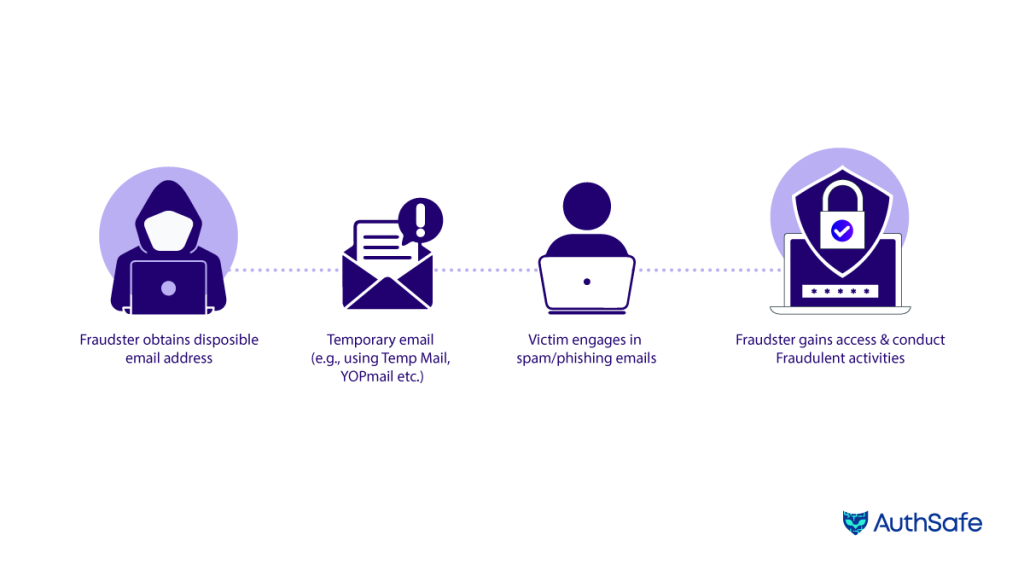
DisposableEmail: Throwaway mailboxes
Disposable addresses last minutes or hours and exist to get past a verification step. They show up behind spam, fake accounts and other abuse. The check:
- It runs on "login succeeded" and "logout" events, reads the user's email address and takes the domain.
- It resolves DNS for the domain and checks for MX, NS and SPF records: can the domain receive mail, who serves its names, and does it declare its senders.
- It compares the domain against a list of known disposable email domains and checks for keywords and patterns common in disposable addresses. A match raises a DisposableEmail (DE) event with a score for the significance of the detection.
- The check runs in real time on each event.
What it catches
Filtering disposable addresses does four jobs at once:
- It removes the cover for spam, phishing and other abuse that hides behind temporary addresses.
- It stops fake and duplicate accounts set up to farm free trials, promotions or referral credit.
- It keeps the data you collect tied to real people.
- It leaves you a cleaner user database, with fewer bounces and more reliable contact details.
ManyDigitsInUsernameEmail: Machine-generated addresses
People pick names; scripts generate strings. An address or username with a long run of digits is a common mark of account-creation tools and of the temporary mailboxes they use. The check:
- It runs on "login succeeded" and "logout" events and reads the user's email address (ue) and username (un).
- It counts the digits in the username and in the local part of the email address (before the @).
- The threshold is 9. If either count exceeds it, the check raises a ManyDigitsInUsernameEmail (MDIUE) event with a score for the significance of the detection.
- The check runs in real time on each event.
Why digit-heavy names matter
Three reasons:
- Bulk registration: tools that create accounts in volume append numbers to make each address unique, so the pattern points at the tool.
- Overlap with disposable mail: many temporary mailbox services hand out digit-heavy addresses, so this signal reinforces DisposableEmail.
- Data quality: filtering these addresses keeps the user database closer to real people.
Phone numbers and SIM swap
Phone safety in Sensfrx means checking that a number presented at registration or login is valid, possible and not disposable. The aim is to stop fake signups and account takeovers built on forged or compromised numbers. The threat that makes phone checks matter most is SIM swap: a criminal convinces your carrier to move your number to a SIM card they control.
They collect the personal details for that call through phishing and social engineering. Once the carrier activates the new SIM, your calls and one-time codes go to their handset, and every account that trusts your phone number for recovery or MFA is open to them. Strong passwords, phishing awareness and authentication methods that do not depend on the phone number all limit the damage.
FBI figures, as reported by Norton, show the rise. The FBI received 1,611 SIM swap complaints in 2021, with losses of more than $68 million. Between January 2018 and December 2020 it received 320 complaints, with losses of around $12 million [1].
Phone number signals
AbnormalPhoneNumberSyntax: Numbers that cannot be real
AbnormalPhoneNumberSyntax checks whether a phone number is syntactically valid and possible, using the phonenumbers library. If it is not, it raises an APNS event with a score for the severity of the problem.
- It runs on "register succeeded" and "login succeeded" events and reads the user's phone number from the event.
- The number must start with "+". If its length is under 10 or over 15, the check raises an APNS event with a score for the detection.
- It then asks the phonenumbers library whether the number is both possible and valid. If it is, no event is raised; otherwise APNS fires with the matching score.
- The check runs in real time on each event.
What it catches
Three things:
- Fake registrations that fill the phone field with junk to get past a required step.
- ATO attempts that rely on invalid or compromised numbers, scored before the account is in use.
- Contact data you can trust, because the numbers that stay in your database are ones that can be reached.
DisposablePhone: Numbers from throwaway services
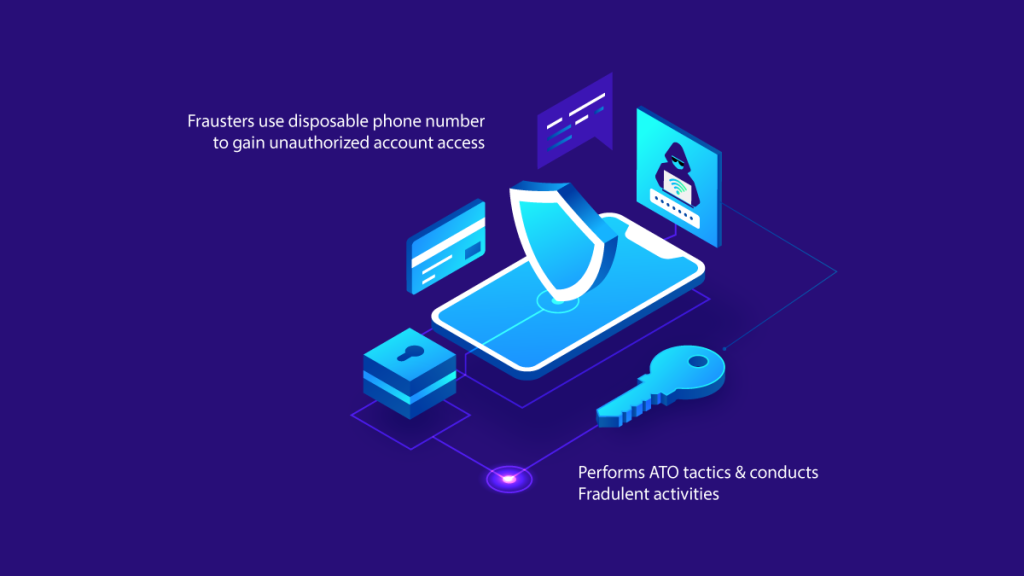
Disposable numbers come from temporary-number services and are used the way disposable email addresses are: to get past verification without leaving a trail. Sensfrx keeps a database of disposable phone numbers, and the DisposablePhone check looks each number up in it. It matters for three reasons:
- Phishing and other attacks use disposable numbers as temporary channels that vanish afterwards; flagging them removes that cover.
- ATO attempts use disposable numbers to create fraudulent accounts or to get around two-factor authentication; the check scores those numbers before the account does anything.
- A disposable number gives an attacker anonymity; blocking it at signup denies them that, and keeps the data on real accounts out of reach.
What to do with the event
- At signup, hold the account for review or require a different number before granting a trial, credit or a saved payment method.
- At login, weigh the event with the device and network signals; a disposable number on an account that used to have a real one is a strong ATO sign.
- In your rules, give it enough weight that it blocks on its own only when combined with another signal, so a customer using a legitimate virtual number is reviewed rather than locked out.
Email and phone signals are strongest together. A disposable address, a digit-heavy username and a number that fails validation on the same signup is almost never a customer.
Each signal is a score, not a verdict. Turn them on in review mode, look at a week of your own signups and logins, then set the thresholds at which a bad email or phone number blocks the account.
References
[1] Norton, "SIM swap fraud: How to prevent it and stay safe," https://us.norton.com/blog/mobile/sim-swap-fraud, accessed: July 28, 2023.