Malware attacks: Types, delivery channels and the controls that stop them
What malware is, how it spreads (email, malvertising, compromised sites), the eleven types you will meet, and the ten controls that stop most infections.
 By 8 mins readPublished Updated
On this page
Malware is any program written to damage, spy on or take control of a device without the owner's consent. Ransomware, spyware, Trojans, worms and rootkits are all malware. What they share is that they run on someone else's machine and do the attacker's work.
For a fraud team the interest is practical. Infostealers and banking Trojans are where many stolen credentials and card numbers come from, so the login and payment abuse you see on your own site often starts with an infection on a customer's machine.
What malware is built to do
Malware is not one thing. The name describes intent, not technique: a Trojan and a worm may carry the same payload and differ only in how they arrive. Three jobs cover most of it.
Three objectives
Data theft: credentials, card numbers, session cookies, documents. Disruption: worms and wipers that take systems down. Extortion: ransomware that encrypts files and sells back the key. Knowing which one the attacker wants tells you where to look. A stealer leaves traces in outbound traffic and in later login attempts; ransomware announces itself.
How it gets in
Three channels account for most infections.
- Email attachments. The infected file arrives disguised as an invoice, a shipping notice or a document from someone the victim knows. The social engineering does the work; the attachment only has to be opened.
- Malvertising. Ads on legitimate sites carry malicious code or redirect to a page that does. The victim did nothing riskier than read the news.
- Compromised websites. Attackers plant code in a legitimate site's pages or redirect visitors to a lookalike built to drop malware.
How users get talked into it
The channel delivers the file. One of three tactics gets it opened.
- Phishing. A message that looks like it comes from a bank, a supplier or an internal team asks the reader to open a file or follow a link.
- Social engineering. Fear, curiosity or greed: an overdue invoice, a leaked salary sheet, a prize. The emotion is chosen to remove the pause before the click.
- Fake software. A cracked game, a free PDF tool or a browser update that installs what it promised plus a payload.
Eleven types of malware
Eleven families cover most of what you will meet. The figure groups them; the list gives the one-line version of each.
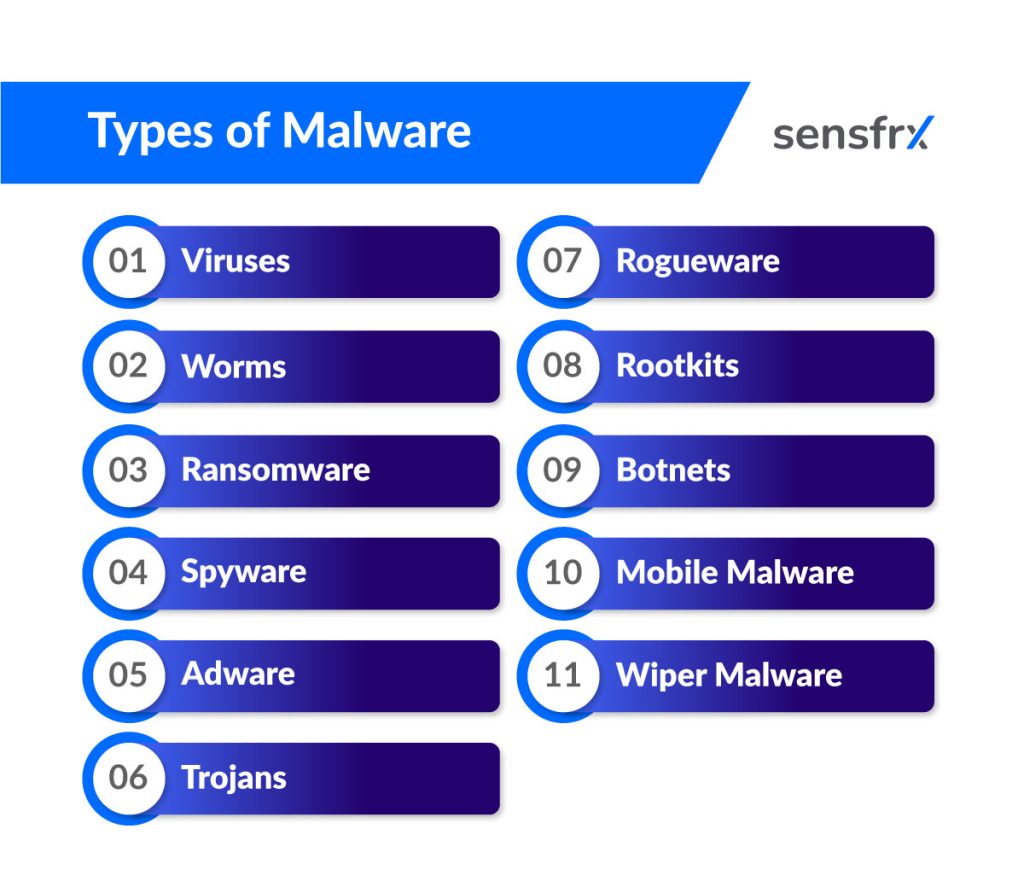
- Viruses attach to legitimate files and programs and copy themselves when those files run, corrupting data as they spread.
- Worms spread on their own across a network, usually through an unpatched service, with no host file needed. Their traffic alone can slow a network to a crawl.
- Ransomware encrypts the victim's files and sells the key back. The cost is downtime first and the ransom second.
- Spyware records what the user does: keystrokes, browsing, saved credentials. Infostealers, the variant that matters most for fraud, package browser passwords, cookies and card data and ship them to the attacker.
- Adware pushes unwanted ads. Not always malicious, but it tracks browsing and slows the machine.
- Trojans pose as legitimate software. Once run they open backdoors, steal data or fetch more malware. They depend on the user choosing to install them.
- Rogueware, or scareware, fakes an infection warning and sells a fake antivirus to fix it.
- Rootkits hide. They give the attacker control at the operating-system level and conceal their own files and processes from the tools that would find them.
- Botnets are fleets of infected machines under remote control, used for DDoS attacks, spam runs, credential stuffing and crypto mining.
- Mobile malware targets phones and tablets through malicious apps and links. It steals data, reads messages and sends ones the owner never sees.
- Wipers delete or overwrite data. There is no key to buy; the point is damage, usually in a targeted attack.
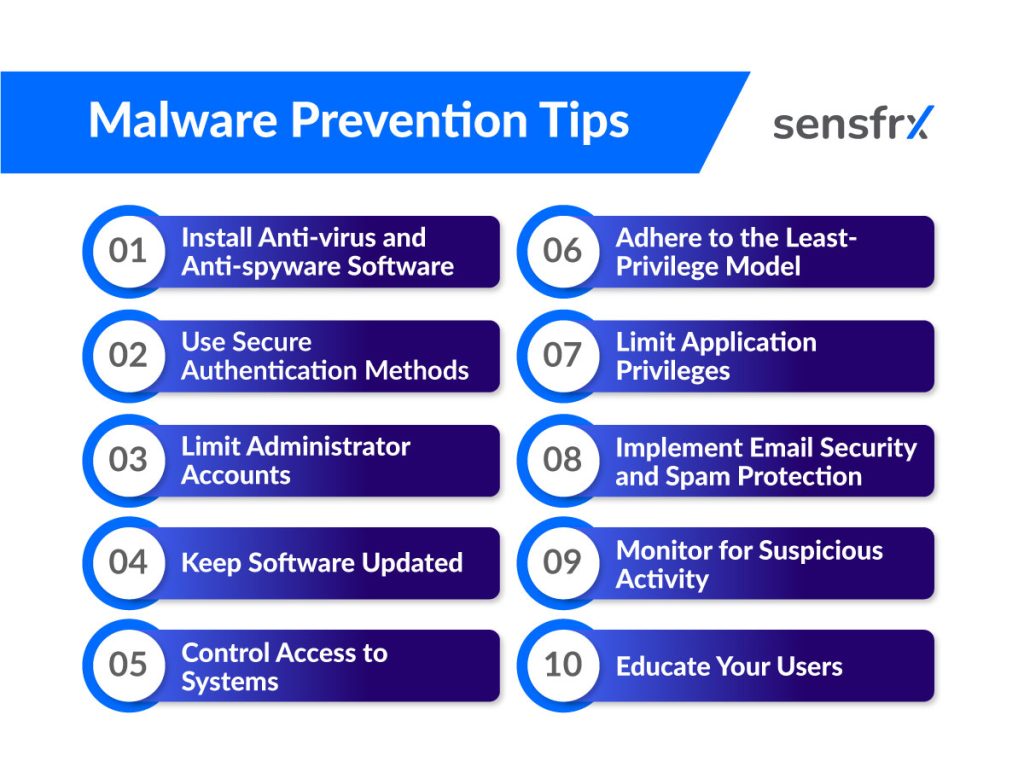
Ten controls that stop most infections
None of these is new. Most infections succeed because one of them was missing.
Run antivirus and anti-spyware, and keep it current
Endpoint protection detects, blocks and removes known malware. It is the baseline, not the whole answer.
The signatures and models it relies on age fast. An out-of-date product misses every variant released since its last update, and attackers test their builds against yesterday's detections. Turn on automatic updates and check that they run.
Use authentication that survives a stolen password
Stolen credentials are the main product of spyware and phishing, so the login has to hold even when the password is known.
- Passwords. At least 12 characters, unique per account, kept in a password manager. Reuse is what turns one breach into ten.
- Multi-factor authentication. A second factor (a phone, a hardware token, a fingerprint) means a captured password is not enough on its own.
- Biometrics. Fingerprint and face recognition are hard to replicate and remove the temptation to pick a weak password. Most current devices ship with them.
Limit administrator accounts
Give each person the minimum access their job needs and treat admin rights as the exception. Three reasons:
- Smaller blast radius. Malware runs with the privileges of the account that opened it. A standard user's infection is contained; an administrator's is not.
- Fewer accidents. Admin accounts can change anything. Used rarely, they get used carefully.
- Cleaner audit trail. With few admin accounts, every privileged change traces back to a person and a reason, and misuse stands out.
Keep software updated
Patching is the one control that closes the most doors.
Why patching matters
Updates carry fixes for vulnerabilities attackers are already scanning for. Worms and exploit kits target known, unpatched bugs; a current system is not on their list.
Updates also fix the bugs that crash or slow systems and keep software working with current hardware and services. Turn on automatic updates wherever the vendor offers them and schedule the rest.
Control access to systems
Three tools decide who and what reaches a system.
- Firewalls sit between the internal network and the internet and pass only the traffic your rules allow. Hardware or software, they stop port scans, DoS and DDoS traffic and other unsolicited connections.
- Intrusion detection and prevention (IDS/IPS) watch network traffic for known attack signatures and odd behaviour, alert the administrators, and in prevention mode drop the traffic.
- User access controls decide who can reach which resource. Permissions limited to the job cut the number of places a mistake or a stolen login can do damage.
Apply least privilege everywhere
The rule that limits admin accounts applies to every user, service and application: access to what the task needs, nothing more.
- Why it works. Fewer privileges mean a smaller attack surface. Malware that lands on a restricted account cannot reach what the account cannot reach.
- How to keep it. Audit permissions on a schedule. People change roles and leave; their access rarely follows unless someone checks.
Limit application privileges
Applications get the same treatment. Many ask for broad access at install time that they never use.
Those unused permissions are what attackers abuse. Trim an application's access to the functions and data it needs, and an exploit in that application gets less.
Filter email before it reaches people
Email is still the most common way malware arrives: a link or an attachment and a reason to open it.
Scan every incoming message for malicious content. Most mail providers do this already; check that it is switched on for your domain.
Add spam filtering so unsolicited mail is dropped before anyone sees it.
Teach people the four signs of a dangerous message:
- Requests for sensitive information such as login credentials or financial details
- Urgent language or threats if action is not taken
- Unexpected attachments from unknown senders
- Poor spelling and grammar
Watch for the signs of an infection
Prevention fails sometimes. Monitoring is how you find out quickly instead of months later.
Track account activity across every device on the network, laptops, desktops and phones included, so an unusual pattern stands out against the normal one.
Three signs worth an alert:
- Multiple failed login attempts
- Unusual IP addresses accessing the network
- Unauthorized changes made to file permissions
Train the people who click
Every control above can be undone by one click from someone who did not know better.
Show users what malware looks like in practice: an invoice attachment, a fake update prompt, a USB stick in the car park. Name the families (ransomware, spyware, Trojans, worms) so the warnings they read elsewhere mean something.
Then train on the attacks they will see, phishing above all. Short, regular sessions beat an annual slide deck.
Where Sensfrx fits
Sensfrx does not scan endpoints or remove malware. It works one step later, where the proceeds of an infection get used: stolen passwords replayed against your login, stolen cards tested at your checkout, infected machines in a botnet signing up fake accounts.
It scores every signup, login and payment in real time from device, network and behaviour signals. A known customer arriving on a new device, a login from an anonymising network, a session that moves like a script: each raises the score.
Your rules turn the score into allow, review or block, so the account takeover or card test that follows an infection is stopped at your door even though the infection happened on a machine you will never see. Start with account takeover protection and bot attack prevention.
What to do first
Most infections arrive by email, malvertising or a compromised site, and most succeed because a patch, a second factor or a privilege limit was missing.
Start with the three controls that cost the least: turn on automatic updates everywhere, require MFA on every account that can reach data, and cut administrator rights to the people who need them this week. Then add email filtering and monitoring.
If your exposure is the fraud that follows other people's infections, read how to stop credential stuffing and how to detect account takeover next.